


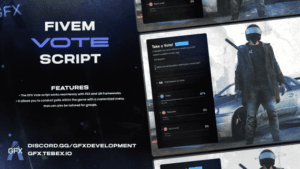

-50%
Original price was: $320.$160Current price is: $160.

-76%
Original price was: $250.$60Current price is: $60.
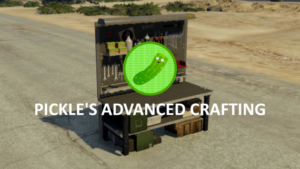
-43%
Original price was: $35.$20Current price is: $20.
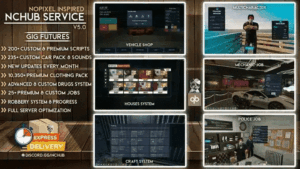
-20%
Original price was: $150.$120Current price is: $120.

-40%
Original price was: $50.$30Current price is: $30.

-50%
Original price was: $20.$10Current price is: $10.

-40%
Original price was: $25.$15Current price is: $15.

-33%
Original price was: $60.$40Current price is: $40.
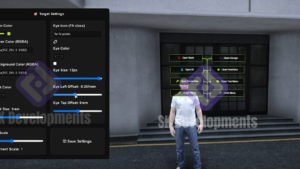
-50%
Original price was: $30.$15Current price is: $15.

-25%
Original price was: $20.$15Current price is: $15.
-31%
Original price was: $160.$110Current price is: $110.

-53%
Original price was: $150.$70Current price is: $70.
-61%
Original price was: $90.$35Current price is: $35.

-69%
Original price was: $80.$25Current price is: $25.

-33%
Original price was: $30.$20Current price is: $20.

-60%
Original price was: $200.$80Current price is: $80.

-70%
Original price was: $150.$45Current price is: $45.

-40%
Original price was: $50.$30Current price is: $30.

-44%
Original price was: $9.$5Current price is: $5.

-75%
Original price was: $100.$25Current price is: $25.
Eliezer Lopez –
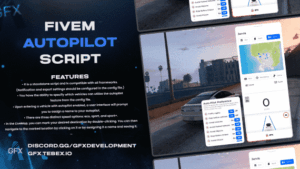
The Vehicle Autopilot script is amazing! It works flawlessly on my FiveM server.
Eliezer Lopez –
The Vehicle Autopilot script is amazing! It works flawlessly on my FiveM server.
Eliezer Lopez –
The Vehicle Autopilot script is amazing! It works flawlessly on my FiveM server.
Mark Reilly –
It works well but wish it had more predefined locations out of the box. Easily editable though.
Carlos Varela –
This makes roleplay feel so much more immersive. My community loves it. Especially how it respects traffic rules.
Daniel Crowley –
Top-tier quality. Feels futuristic. The map interface is super intuitive, and being able to save locations is clutch.
Sami Rahman –
Slick UI and the K and U keys are well chosen, but I remapped them easily. Good that it’s all configurable.
Nina Waters –
The parking hologram feature is cool but takes a bit to get used to. Still, a solid script overall.
Jared McMillan –
Surprisingly smooth experience. The eco/sport/sport+ modes make a real difference in how it drives. Love the customization in the config too.
Kayla Nguyen –
Super easy to integrate. My server uses multiple frameworks and it worked out of the gate. Config is well documented too.
Emily Garza –
Really fun to play around with. The door ‘dance’ button made everyone laugh. Cool little detail.
Jonas Beck –
A bit buggy in tight spaces but nothing game-breaking. Otherwise, really well thought out.
Lena Brooks –
Nice touch with the emergency button. It saved me during a chase when I couldn’t drive myself. Would love a voice prompt though!